|
|
#106 (permalink) |
|
U19 Vice-Captain
Join Date: Feb 2004
Location: Adelaide
Posts: 505
|
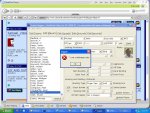
When I edit a players info a message comes up saying "invalid date <birthday>" and no date at all is valid.
__________________
Cricket Web XI: GO CW BLACK! Editor of the CWBCC Weekly Times WCC: Manager of Galle C.C. (Div 6) |
|
|
|
|
|
#107 (permalink) |
|
Cricket Web Staff Member / Global Moderator
Join Date: Mar 2002
Location: Oxford, England
Posts: 26,361
|
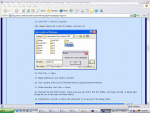
Your regional options should look like this:
__________________
MSN Messenger: minardineil2000 at hotmail dot com | AAAS Chairman CricketWeb Black | CricketWeb XI Captain ClarkeWatch: We're Watching Rikki - Are You? Up The Grecians - Exeter City FC Completing the Square: My Cricket Web Blog |
|
|
|
|
|
#108 (permalink) | |
|
Registered User
Join Date: Oct 2004
Location: -
Posts: 20
|
Quote:
|
|
|
|
|
|
|
#114 (permalink) |
|
International Debutant
Join Date: Feb 2004
Location: on my ass @ the PC
Posts: 2,775
|
I also have this problem.
__________________
THE ULTIMATE CRICKET WEB ARCADE EGGS CHAMPION RIP Fardin Qayyumi (AKA "cricket player"; "Bob"), 1990-2006 RIP Craig Walsh (AKA "Craig"), 1985-2012 |
|
|
|
|
|
#116 (permalink) |
|
You'll Never Walk Alone
Join Date: Apr 2003
Location: New South Wales
Posts: 26,185
|
alright, i have few God-given gifts, and messing around on a computer is NOT one of them.
i love my ICC and would be emotionally damaged if anything ever happened to it. may this work and work well! ill post again with the results...
__________________
Jesus saves proudly supporting Liverpool FC |
|
|
|
|
|
#117 (permalink) |
|
You'll Never Walk Alone
Join Date: Apr 2003
Location: New South Wales
Posts: 26,185
|
oh k... DAMMMMMMMMMMIT!!!!
i thought i did everything perfectly, but lo and behold, it dont work. when i go to my saved york****e game it just has the loading screen and nothing happens and when i go to single player career it says runtime error or something. please help... |
|
|
|
|
|
#120 (permalink) |
|
Cricketer Of The Year
Join Date: Jan 2004
Location: Moving the hole in the o-zone layer
Posts: 8,442
|
It happens a lot when editing.
My advice is to re-install the game, no save files will be deleted, then make a copy of the original DataP and DataT files. Edit the copied ones which are renamed to DataT and DataP and then save, making sure you don't use the reset buttons and save. If something goes wrong, delete them, make a copy of the original files and edit them again and keep on going until it works. |
|
|
|
|
| Currently Active Users Viewing This Thread: 1 (0 members and 1 guests) | |
| Thread Tools | |
| Display Modes | |
|
|